The Proverbial Elephant in the Room…
I’m going to sound hypocritical here, but here’s my oversimplified main take on AI: I hate it, but I use it.
You use AI? Slop peddler!!! Slop peddler!!!!
Sadly, there are a lot of those – and they’ve made their way into the Indie Dev community. Good news is, I’m not one of them. Let me explain…
Bad Devs : A brief history
If you’ve ever tried an indie game, the algorithm on whatever storefront you use (PC or Console) will start showing you more Indie Titles – awesome! One of the hardest things about being an Indie Dev is getting folks to see and notice our games. Look around enough and you might start to notice something:
Wait…the graphics on that game look just like ___
Welcome to the world of Assets. Just like your game storefront, there are TONS of asset markets that sell code, editor tools, 2D and 3D artwork, music, sound, and even full game templates! Most devs aren’t trying to scam you – they’re just trying to make a game all by themselves and decided to “hire out” some of the work by purchasing an asset.
I use assets – it’s a great way to get a solid, battle-tested, fully supported solution – especially useful for something complex that needs to be consistent and bulletproof. Anti-cheat, Steam API integration, and my multiplayer framework are good examples of assets I use in every project. One of the coolest and most successful shelf asset games is a VR title called Vanishing Realms – it was one of the first VR adventure games I played – it inspired me to get into GameDev and create SellswordVR!
All the enemies and scenery in that game?? 100% from a $99 asset pack (the first version of the game back in 2017, anyway). I was blown away. The dev was a visionary – he saw an opportunity, grabbed a (then) obscure asset pack, and built an amazing game around it!
Where things went wrong is when devs started abusing this – just publishing an asset pack’s demo scene as a finished game, or slapping minimal programming onto one: thus the “Asset Flip” was born. Most asset flips are easy to spot: shallow gameplay, little documentation, and (usually) tons of bad reviews and refunds.
OK – what’s your point?
The same bad, lazy devs who made crappy “asset flips” are now using Gen AI to make “slop games.” Same story; different tools.
Generative AI
This is the AI that most polarizes folks. Type a prompt into a text box; out pops the fully formed creation you dreamed of – no work required!
Except that’s not AT ALL how it works. Sure, you can get a GenAI to churn out photos, memes, stories, music, code, etc. – but it’s rarely “ready to go” without some human intervention, and it’s never what I’d classify as “production quality.”
An Example:
Barn Brawl’s artist, TJ, drew a bunch of concept art renders for Jenny and a few of the other characters. I planned to incorporate these into the key artwork for the game alongside the logo (which I drew myself). I grabbed a screenshot from one of the stages I’d been working on, placed the logo at the front, and isolated TJ’s concept art for Jenny and Elijah.
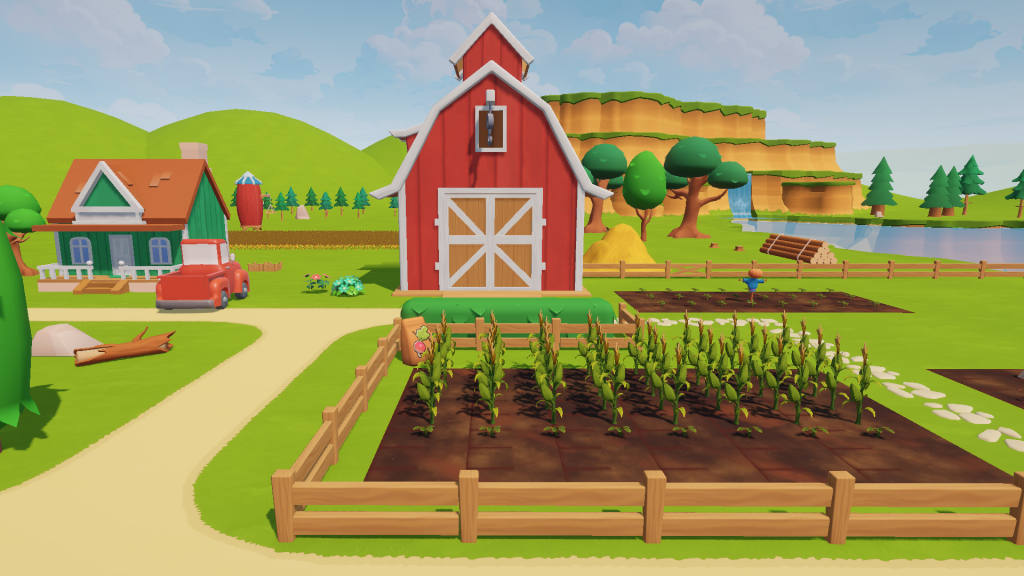
No matter where I placed the logo or the characters, I just couldn’t get anything that LOOKED something I could use on the Steam storefront.
So I fed the screenshot and the logo into Google’s NanoBanana 2 AI…it converted the scene into this image. When I’m working with an AI, I always have it give me at least 4 “versions” – because it will spit out people with 3 fingers, shoes with no laces, etc. Here’s the one I picked:
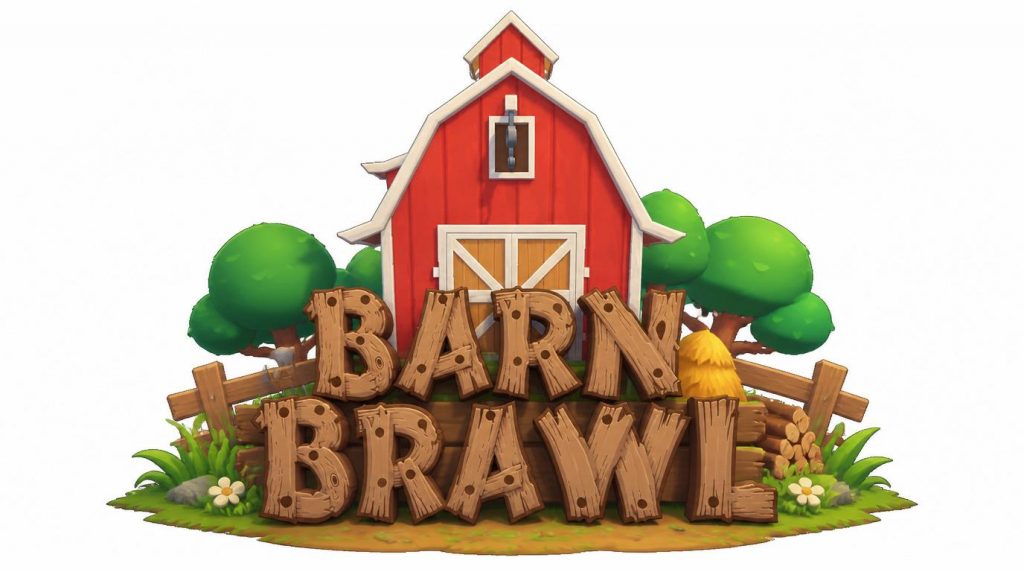
Not bad, right?? I asked it to place the barn as the primary backdrop and to center the logo (it’s CLOSE, but I had to tweak it later). There’s my barn, my trees (though the one on the left has this weird ghosting thing with the fence. See what I mean by “AI needs human intervention?”
Also, if you take a look at the logo, “Brawl” got a cool wooden background; “Barn” didn’t. The background isn’t centered – the L has no background at all.
I liked it – because it gave me a place to start, stayed true to the realistic vision of my game’s scene – and best of all, I didn’t have to spend 2 days drawing it.
Dude…you cheated!
Not at all…I still spent several hours making edits the AI couldn’t: no matter what I prompted, it wouldn’t alter the wooden backer to cover both words of the game’s name. I had to sample and redraw that myself. I also added a backdrop from one of the lightboxes the game uses behind all of the forest and landscaping (some cool mountains), added realistic shadows, then placed a few fruits and veggie props from the game around the front (since farming is a main mechanic in the game).,
I did have AI make the barn “explode” as if an epic battle was taking place inside…
- Could I have used the knife tool and drawn dust and smoke? Yes.
- Did I try myself? Also yes…and it looked “meh.”
Here’s how I use AI: As a Partner.
When I need to brainstorm art ideas, it’s great to put sample pics along with my prompt and see what it comes up with. I can draw inspiration from these and find a direction – without wasting hours drawing art I won’t use.
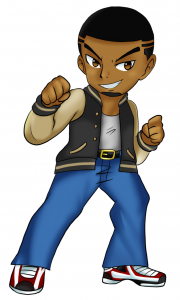
When I want to try something new in a non-destructive way. In the original concept art that TJ drew, Elijah’s trademark Cowpens County High letterman jacket was Black and Gold. I felt like this made the character look a little bit “evil” once I converted him into a 3D model. Taking inspiration from my own high school’s colors, I went with Silver and Blue, then changed his shoes to match.
I gave the AI a screenshot of Elijah’s 3D model from the game (we use a easier to animate Chibi-style model that looks a little different from TJ’s style here), asking it to change the clothing. I also added in Jenny’s concept art as a stylistic reference.
The AI gave me a game-accurate Elijah with colors that pay respect to TJ’s original character and homage to my roots – and will let me expand on the world I’m creating in my games!

Dang…you replaced TJ’s art with AI…
Not at all. TJ is an AMAZING artist – I chose to work with him because I love his style…I always have! Even he will tell you that he has more 2D experience than 3D. When it came time to convert our ideas into a 3D game world, we had to compromise a bit. We started with a program called Vroid Studio, which makes Anime-style avatars for VRChat. They looked OK, but weren’t as close to the vision we had for the characters.
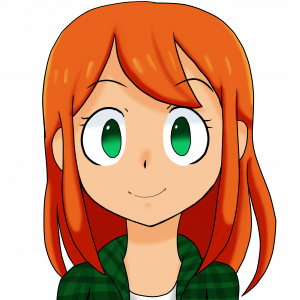
Here’s Jenny’s concept art vs Jenny’s Vroid avatar…
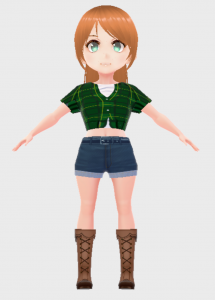
Umm….no.
Exactly my point. TJ’s art has a charm that Vroid didn’t really match, despite the weeks he spent on the conversion.
Here’s what the AI came up with when I fed it Jenny’s concept art and asked for a 2D and 3D model:
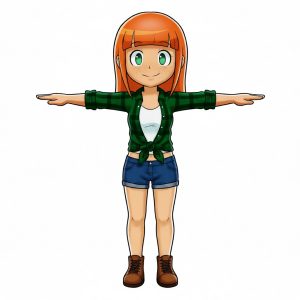
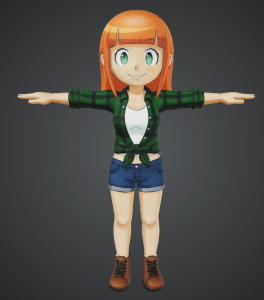
No slop – real humans using real tools to create.
Jenny looks in the game the way she looks in TJ’s art. We didn’t have to spend months trying to convert her – I found an AI tool that handled that. TJ can draw his best 2D art; I can focus on animating, code, and game design.
We get to stick to our strengths without getting stuck and roadblocked on tasks that we aren’t able to handle. The art and models in the game will look so much better thanks to the responsible and smart use of AI tools. More respect for TJ’s vision; more time spent on gameplay features; a better looking, more polished game for you to play. That’s a win.